Members coming today
Show expected and completed member movement with split by resident, tenant, family, visitor, delivery, cab, and service staff.
AWASAN Community App
A brown, gold, and olive mobile experience for security teams, facility staff, managers, and service partners to run the society from the ground.


Insights page
The Insights page should feel like a quick morning control room: enough data to act, not a heavy analytics dashboard.
Show expected and completed member movement with split by resident, tenant, family, visitor, delivery, cab, and service staff.
Track which gate is busiest, which hour needs more staff, and where verification delays are increasing.
Understand which facilities customers use most, booking status, cancellations, peak slots, and service demand.
Surface open tickets, SLA risk, incidents, staff workload, visitor backlog, and pending approvals.
Operations modules
Gate traffic view showing how many members and visitors are coming today.
Gate-wise and time-wise insight for peak entry periods and staff allocation.
Facility usage reporting by amenity, booking volume, status, and customer type.
Security scanning, entry decisions, call resident, deny reason, and audit trail.
Ticket assignment, staff tasks, SLA alerts, emergency incidents, and shift notes.
Operational identity
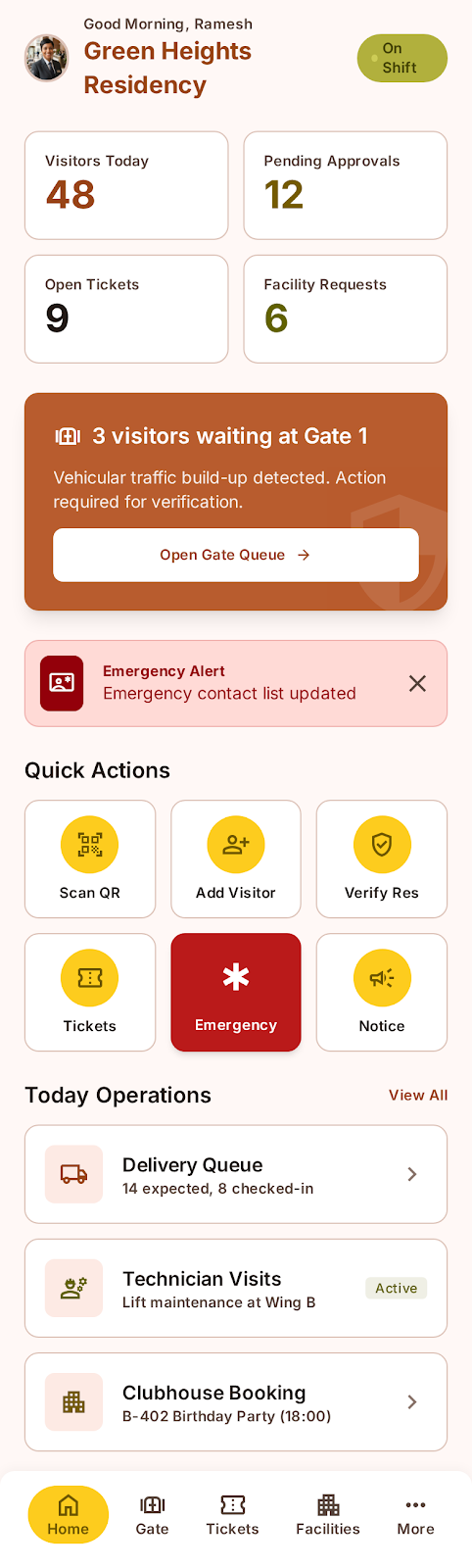
Community App opens with a separate staff identity for security teams, facility staff, and operations managers.
Staff-first branding
Shift context
Secure access

Today’s workload
Staff see visitors today, pending approvals, open tickets, facility requests, alerts, and shift actions at a glance.
Visitors today
Pending approvals
Open tickets
Facility requests
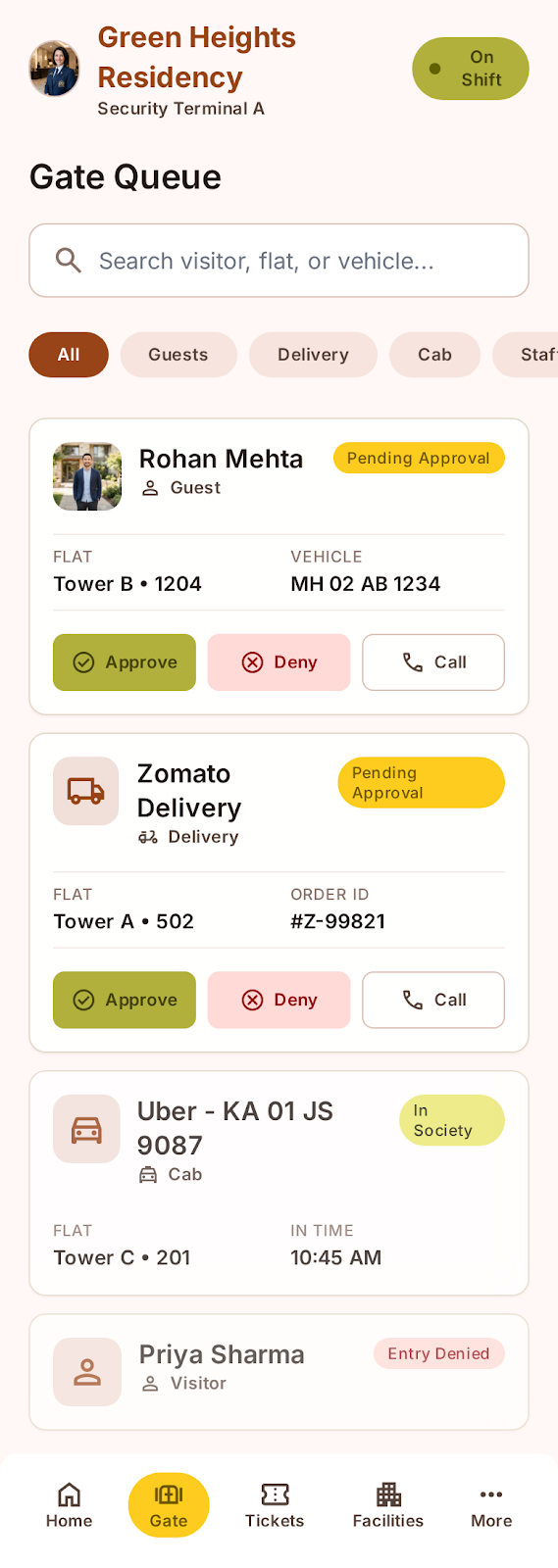
Entry decisions
Security teams can search the queue, filter entry types, approve, deny, call residents, and verify vehicle or flat details.
Approve entry
Deny with reason
Call resident
Vehicle details
Complaint operations
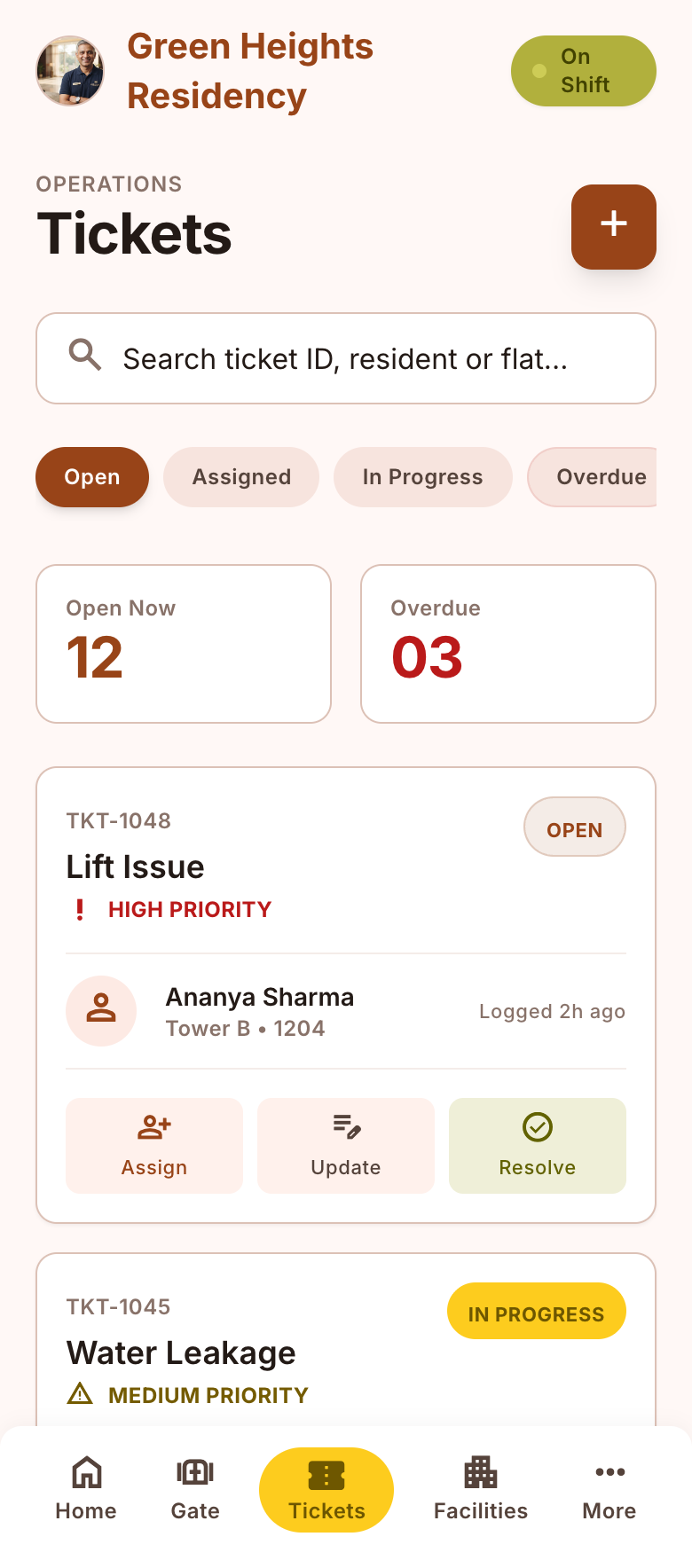
Operations teams handle complaints by priority with clear assign, update, resolve, and overdue tracking actions.
Priority status
Assignee control
Progress update
Resolve action
Service fulfilment
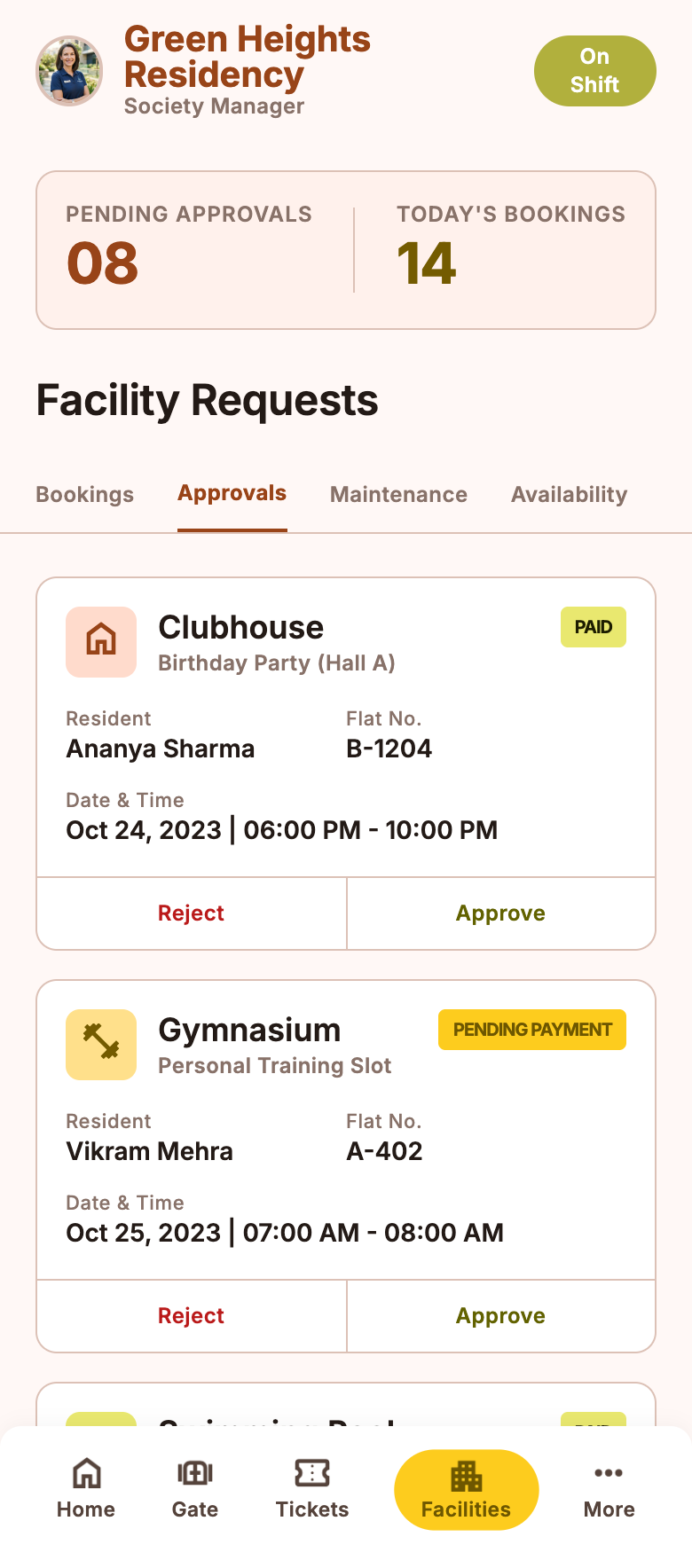
Facility staff can review booking demand, service requests, approvals, availability, and customer follow-up.
Request queue
Booking demand
Approval status
Service follow-up
Management view
Managers see how many people are coming today, which gate is busiest, peak time, facilities used, staff workload, and operational health.
People coming today
Busiest gate
Peak time
Facility usage
Staff controls
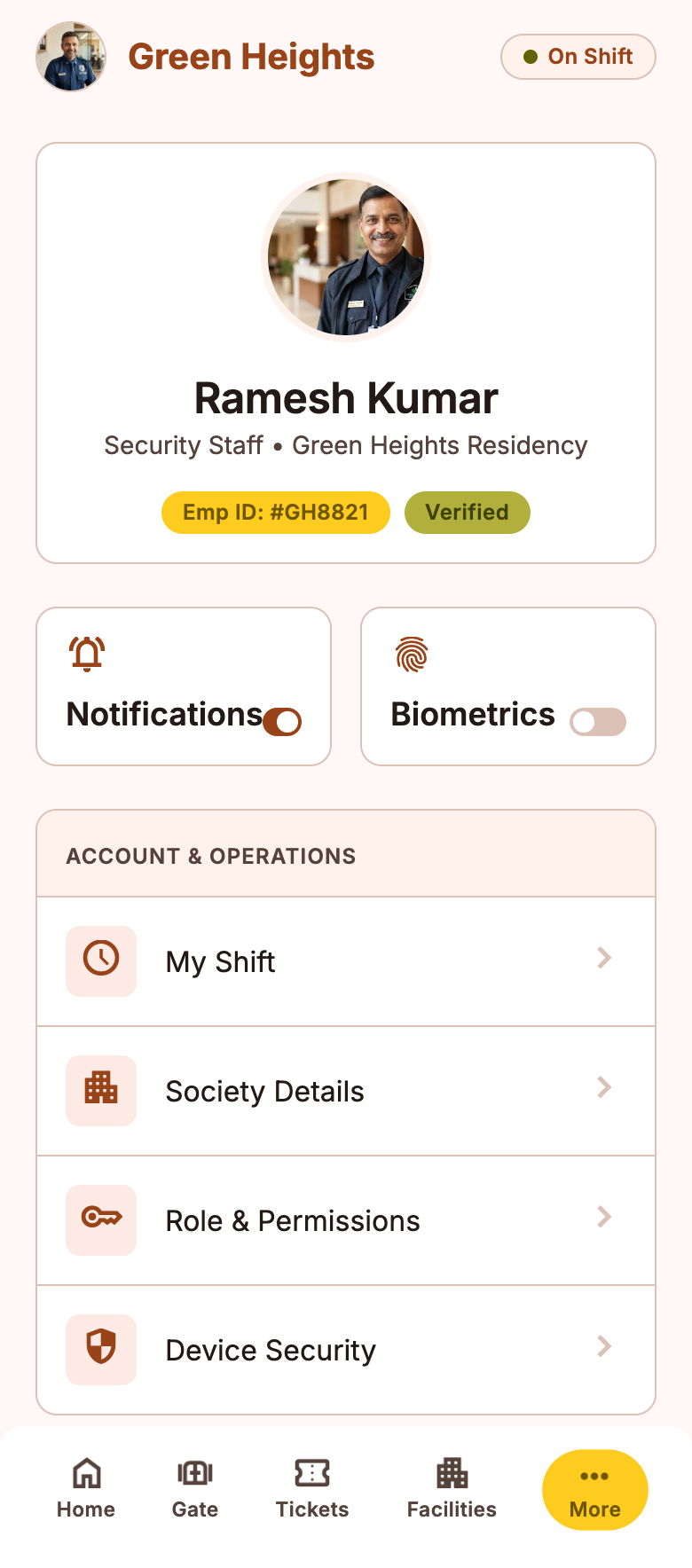
Staff can manage profile details, shift identity, preferences, account controls, and secure role-based access.
Shift profile
Preferences
Account controls
Role access